Step 1
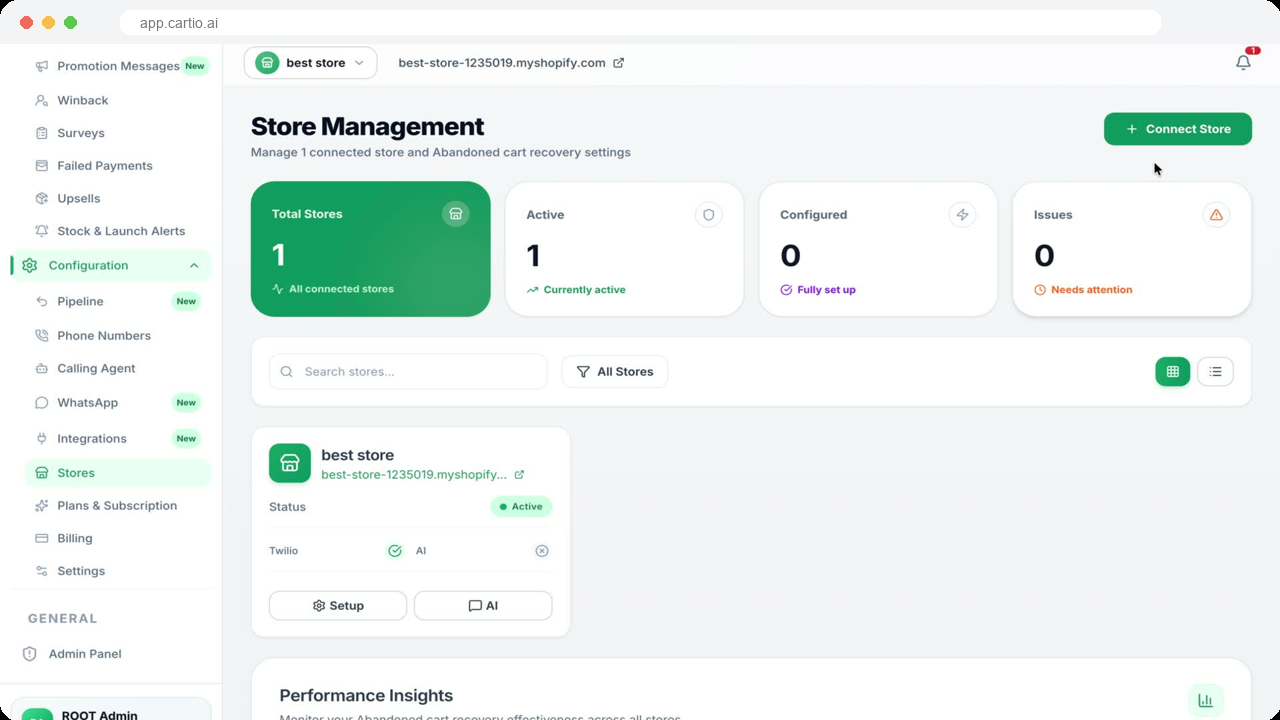
Connect your Shopify store
Create your Cartio account, connect Shopify and review the requested access and billing approval. Cartio uses your store data to identify abandoned checkouts and attribute recovered orders.
How Cartio works
Connect Shopify, configure your channels and let Cartio answer the questions that stop shoppers buying. Track every attributed recovery in your dashboard.
Start with five commission-free recoveriesPhone numbers and channel usage are separate. Results vary by store.
Step 1
Create your Cartio account, connect Shopify and review the requested access and billing approval. Cartio uses your store data to identify abandoned checkouts and attribute recovered orders.
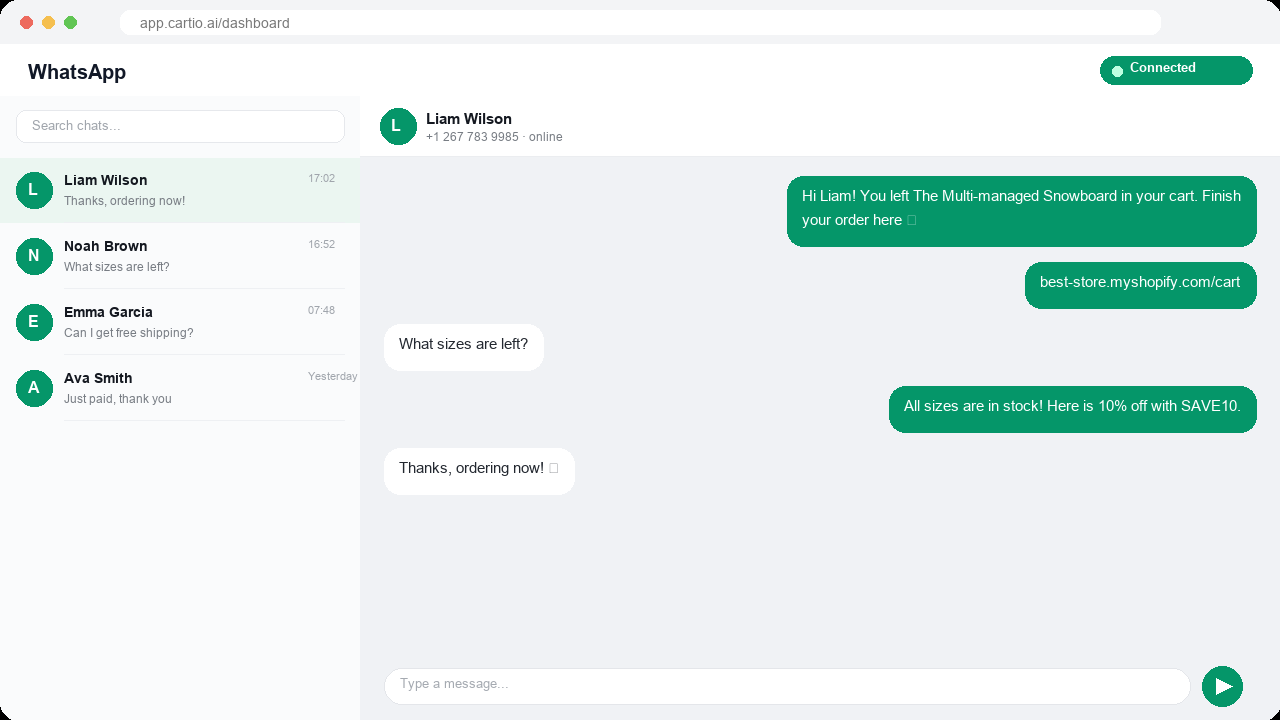
Step 2
Configure WhatsApp, SMS and AI voice for the channels you want to use. Complete any required provider verification, connect or provision a phone number, and add usage credit where required.
Step 3
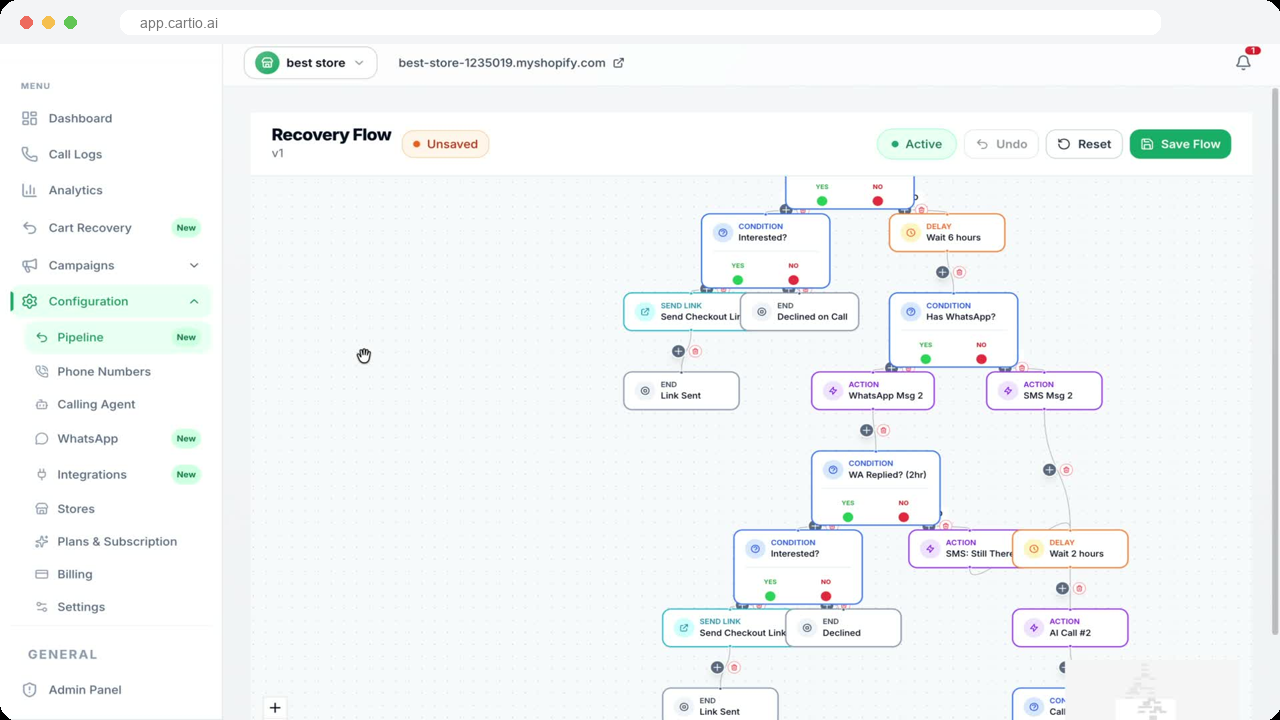
Choose your outreach delay, channels, messages and discount limits. Cartio contacts eligible abandoned shoppers using your settings, answers purchase questions and helps them return to checkout. Discounts are optional and follow your configured rules.
Step 4
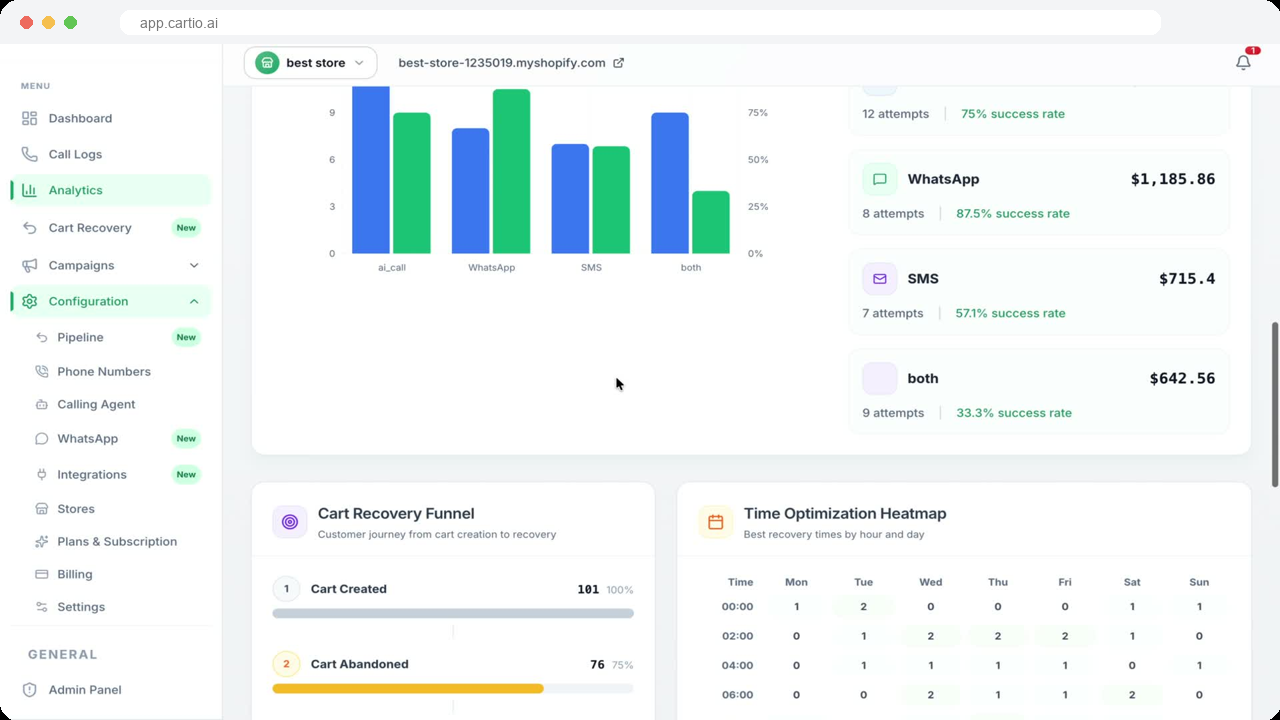
Test your connected channels before activating recovery. Review conversations, recovered orders and attributed revenue in your dashboard, then adjust your settings based on results.
Setup includes connecting Shopify, reviewing billing, configuring your channels and testing outreach. Timing depends on the channels you choose and any Meta or phone-provider verification needed. No coding is required.
Recovery results vary by store, traffic quality, products and channel setup. Recovery rates of 20–30% are not a guarantee for every store. Use your dashboard to measure your own attributed results.
Yes. Configure your outreach timing, channels, messages and discount limits. You can run recovery without offering a discount.
The first five recoveries per store are commission-free. Phone numbers and channel usage are separate and remain subject to applicable credits and spending limits. This commission waiver is separate from the 14-day plan trial.
Launch costs $0 per month plus 12% recovery commission. Growth costs $99 per month plus 7%, and Scale costs $299 per month plus 4%. Subscriptions and recovery commission are billed through Shopify. Phone numbers and channel usage are separate.
Review available plans in your dashboard and approve any required Shopify billing change. Check the displayed terms, rates and effective date before confirming.
Cartio uses store and shopper data to provide recovery and support services through your connected channels. Our Privacy Policy explains the data we collect, service providers involved and available privacy choices.
Read our Privacy Policy or compare plans.
Connect Shopify, configure your recovery channels and start with five commission-free recoveries. No setup fee. Phone numbers and channel usage are separate.